Entrecard Takes Strict Steps For Better Economy

Entrecard, which came like a “GOD” for bloggers to boost their readership with their dropping style promotion.After some good years of making buzz all around Entrecard have taken some strict steps to balance it’s economy from further loses.On 29th September Entrecard sent all it’s member a e-mail regarding the changes that are going to happen.The reactions of the bloggers were not good against these changes.

Continue reading Entrecard Takes Strict Steps For Better Economy


Top 10 Search Terms:

• Entrecard

Welcome To Our New Domain

There is good news guys I have now properly shifted the domain templatestreasure.blogspot.com to www.smartbloggerz.com

So from now remember the new domain 🙂 or if you can’t remeber it just type in the old name you will automatically redirected to this domain..
I purchased the domain from name.com with private whois , e-mail n many other features from Google Apps for just $5.99. Isn’t it Cheap?

The shifting was way to hard since there was no tutorial available for name.com but somehow i managed to make the shifting a success.

I have also changed the feed URL which is now:

http://feedproxy.google.com/smartbloggerz

Now Enjoy the domain name where I will be sharing now more things from before..

Google Chrome Launched – Can It Beat Firefox?

Today,watching the MTV ticker I came to know about the Google Chrome Launching.So,I thought why i don’t make a post about it and having your views about Google’s new entry.

Google announced their new open-source browser called “Google Chrome” yesterday and even more interestingly, explained the concepts behind their browser technology in a simple comic book.


I downloaded Google Chrome today morning and it installed in a flash. And first time when I opened, it gave an option of importing settings and bookmarks from my firefox.


Since you already can download a beta version of Google Chrome, which I think looks more ready than just a beta, the man can test for themselves.Here are some main points of Google’s Chrome:

  • Fast to get. Quick to get.And Not A Memory Sucker Like Firefox..
  • The start of the programme leading to a meeting with a iGoogle-like site, integrated with the history, favorites and other things which we hope to snare users.
  • Address bar is like in Firefox 3, it gives suggestions for similar pages Monday touched on, or might think fit anyway.A google search of the mini is already happening in the address.
  • Interaction should be done through the Web, rather than through the interface to the browser (remember delicious instead of bookmarks in your browser).
  • The title of the window in focus takes over the title to the entire window.
  • Chrome’s tabs are independent of one another. Meaning that if the page you’ve loaded in one tab crashes all your other tabs are fine. Again, for a guy that has dozens of tabs open in his browser all the time (many with blog posts and emails in various stages of completion) that’s handy.
  • Chrome has an “incognito” function that is pretty much what it sounds like. When you open an “incognito” window or tab your browsing is entirely secure. No stored history. No stored cookies. Nothing. I’ll leave it to your imaginations as to what that feature is supposed to be used for.

Here is how my blog Looks in Chrome:

So what are thinking about this launch?Is it going to be successful enough to beat that Firefox Bully..?

Top 5 Free Blog Header Image Websites

Your blog is a representation of who you are so it should be unique, right? The only problem is most free Blogger templates (if not all) are available to anyone so chances of you stumbling across another site that looks very similar to yours is going to be high. It’s like going to a party and bumping into another girl who’s wearing the exact same dress as you. It’s something you hate and try to avoid.

The good news is you can easily make your Blogger site unique just by changing or adding a header image. Usually that move alone will make your blog stand out from the crowd (as well as customizing your sidebar widgets).

free blogger header images

So here’s a couple header image sites I’d like to recommend to help you dress up and personalize your blog.

  1. 45 Free Beautiful Blog Headers – This is a great list compiled by Smashing Magazine. Some of the headers include the .psd source files so you can really customize the header if you’ve got Photoshop experience.
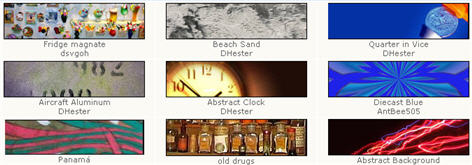
  2. Free Webpage Headers – A very nice collection of hundreds of 800 x 200 website headers which can easily be used for Blogger. Images are organized by category which makes it much easier to find what you’re looking for.
  3. Dreamstime – This is actually a pay for image site but they have a free images section you can benefit from. Click on the “Free Images” tab once you get to their home page.
  4. stock.xchng – By looking at the name of their site you wouldn’t think it was any good but looks can be deceiving. They’ve got thousands of free images that would work for your blog header or for inserting them into a blog post.
  5. Stock Vault – This free image site is dubbed the stock photo sharing website where designers and photographers can meet to share their images. Decent selection and more targeted towards designers but you might be able to find some goodies for your blog.
  6. FreeFoto – This last one is a bonus since the list was only supposed to be 5. It’s a pretty good site where you can find all sorts of images for your blog header, etc.

Premium Image Sites

Here’s some other sites that are great but you have to buy the images. In most cases it’s actually worth spending a few dollars just to get a perfect header image for your site. Remember, your blog is a representation of you so it’s a good idea to dress it up nicely.

fotolia logoshutterstock logocrestock logo

  1. Fotolia – This is my favorite stock image site since you can find some great unique blog header images for as little as $1. Easy sign up process and you buy credits once you setup your account.
  2. Stockxpert – Here’s another good one if you can’t find anything you like on Fotolia. Same plan since you pay per image starting at $1.
  3. Shutterstock – This site is different than others since you pay on monthly basis and can download up to 750 images over the course of 30 days. It’s great if you just need a ton of images in a short period. Sign up for one month, download your 750 max, and then cancel your account.
  4. Photo Library (also known as Index Stock) – It’s kind of hard to navigate their site but the images aren’t watermarked meaning you can right click and save them.
  5. Getty Images – This is truely the cream of the crop when it comes to high quality images. These images would be overkill for your personal blog but it’s still a beautiful site to check out.
  6. Photos.com – Another great high-end photo download site. You pay $99 per month but can download as many photos as you want. This is a great package for small businesses or corporations looking for stock photos for their website.
  7. Creastock.com – They offer royalty free high quality stock photos and images but their price point is a little higher than I prefer. This site is more for the true professional looking for really high quality art for their site.

This list should give you more than enough sites of places to get free images for your blog. I’d love to hear if you’ve got some other sites our readers might be interested in as well. Also, if you’ve pimped out your blog with a new header image post your link below to share with everyone!


Top 10 Search Terms:

• free blog header • header images for websites • free header images for websites • free header images • free blog header images • free header image • header image for website • free blogger header

Blogger Introduces "Show off your Followers"

Would you like to know who enjoys reading your blog? Or stay updated with your favorite blogs right from your Blogger dashboard? You can do those things and more with Blogger’s new Following feature.

The Following feature will be rolled out to all over the next few weeks, so if you don’t see it right away, don’t worry. It’s coming soon.
I think it would be a great feature knowing who is following your blog, and I m waiting for it’s launch.It’s currently in Experimental Stage so i can not give much info about it as i can not use it.


This is Something More Blogger Buzz Has To Say For It.

By following your blog, your readers tell you and the world that they’re a fan of what you post. Your Dashboard now shows you how many followers each of your blogs has. With a click on the Followers icon, you can browse your followers, see what blogs they write, and read the other blogs they’re following.

Now that you know who your Followers are, you can show them off by adding the Followers gadget to your blog’s sidebar. From the Page Elements” tab, click “Add a Gadget” and select “Followers” from the gadgets list.

The Followers gadget shows the profile pictures of your followers and gives your readers a “Follow This Blog” link to join up, too.

Your followers can stay updated with your blog with the Reading List that we’ve added to the Blogger Dashboard. The Blogs I’m Following tab automatically shows the latest posts from all the blogs you follow. You can follow any blog from your reading list, even blogs that haven’t added the Followers widget or aren’t hosted on Blogger. Just click the “Add” button and type in the blog’s URL.

If you’re a Google Reader user, you’ll now see a special folder in Reader called “Blogs I’m Following,” full of the subscriptions for all of the blogs you follow. You can follow blogs you’ve subscribed to in Reader, too: From the Reading List on your Blogger Dashboard, click “Add,” then “Import from Google Reader.”

And…. there’s more to come! We are also in the process of integrating with Google Friend Connect so you can give your readers more engaging social features. For more details about what we’ve launched, check out the help articles here:

————————————————————————–
Updates and Bug Fixes for August 27th

1.As reported on Blogger Buster (and elsewhere), the 3rd party Add Widget API was broken. It has been fixed.

2.The new button style appears clickable in all browers.

3.The Blog List widget can show thumbnails specified in Media RSS feeds.

4.Atom feeds now include the blog’s description as the element.

So What do you think About this gr8 feature that will be coming soon>>??