Statistics Widget for Blogger

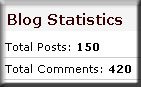
Just came to know about this cool widget n it’s easy to use also. This widget basically shows Quick Stats Of your blog which includes “Total Posts” n “Total Comments” on your blog.You can see the working of it in my blog in the sidebar at the bottom.


If you are interested to display the total number of posts and total number of comments on your blog, please follow the instructions below.

Continue reading Statistics Widget for Blogger


Top 10 Search Terms:

• blogger statistics widget • statistic gadget blogger com

Inspire Yourself: 50 Remarkable Favicons

Actually it’s a pity that many designers don’t really make use of them. Favicons, mini graphics for a particular web-site, can be displayed in the browser’s URL bar, next to the site’s name in lists of bookmarks, and next to the page’s title in a tabbed document interface. To be recognized immediately, Favicons have to be visually appealing and fit to the design or logo of a given page. In fact, if you use Favicons for your sites, users can easily find your URL in their bookmarks – in this way you create some kind of a visual connection between your web-site and your sites’ visitors.

However, the design of Favicons can be tricky – it isn’t that easy to create a beautiful 16×16px mini-icon. Still, some designers manage to achieve tremendous effects. Logotypes with clear geometric structures are easier to work with than typefaces or abstract images. The color selection corresponds to current Web 2.0 trends. Let’s take a look at 50 beautiful Favicons you can inspire yourself from


You can click on Favicons – they lead to a page, which uses the image as a page icon. Links checked: June/05 2008.

Petal

favicon/ http://www.aurea.es/
favicon/ http://www.fxis.net/ (dead)
favicon/ http://www.divshare.com/
favicon/ http://www.tanyamerone.com/
favicon/ http://www.akken.com/
favicon/ http://www.kepu.net.cn/english/

Rounded Elements

favicon/ http://www.fat-man-collective.com/
favicon/ http://www.lisensa.com/ (dead)
http://www.lorop-it.de/ (dead)
http://www.akamai.com
favicon/ http://www.cogmap.com/
favicon/ http://www.colorwarepc.com/
favicon/ http://www.evozon.com/
http://www.diabetesgate.de/
http://www.adelaidemetro.com.au/

Letters and Typography

favicon/ http://www.cubexagency.com/
favicon/ http://www.lisensa.com/
favicon/ http://www.somox.com/
favicon/ http://www.piqniq.jp/
favicon/ http://www.eight6.com/
favicon/ http://reachgroupconsulting.com/
favicon/ http://www.flexy.info/
favicon/ http://www.kiva.org/

Ornaments

favicon/ http://www.imthere.com/
favicon/ http://www.elevenmedia.com/
favicon/ http://www.roisure.com/
favicon/ http://www.pixellogo.com/
favicon/ http://www.thinkpinkstudio.com/
favicon/ http://www.mattwebb.com.au/

Squares

favicon/ http://www.sumagency.com/
http://www.indesign.einsteiger-portal.de/
http://www.kirkpatrickbank.com/
favicon/ http://deforum.ru/
favicon/ http://www.imasters.com.br/
http://www.ouvaton.coop/ (dead)
favicon/ http://detlog.org/
favicon/ http://www.ministrycamp.com/ (dead)
favicon/ http://www.getpaint.net/
favicon/ http://microformats.org/
http://www.kath-thun.ch/
http://www.campus-and-more.de/
http://pro-buero.com/
http://www.quada-office.de
http://www.modulio.net/

Further Favicons

favicon/ http://www.joomlart.com/
favicon/ http://letterpop.com/
favicon/ http://www.illustrationclass.com/
http://www.trendwatching.com/
http://www.edag.hu/
http://www.elektro.de/

Favicon Tools

Intense Debate-An Incredible Plugin for Blogger

Intense Debate is an Fantastic commenting system for Blogger,Type pad and WordPress.This buildan excellent commenting network between users in blogs.You canview live this commenting system in this blog.This complany is founded in December 2006.This service is now in Beta mode.Intense Debate offers blog readers a powerful networking system to establish reputations,link their profiles, make friends and syndicate their comments.You can implement this widget in Blogger,Wordpress & Typepad.

If you are a Blogger user or have Blogs of Blogger Platforms,You will be worry about commenting system in it.You will be dreaming to have a comment form in Blogger like WordPress.But now it is not a dream,You can now implement a better comment form in Blogger than WordPress:)

FEATURES:

::Tracking/Notifications

Image

Interested in the comments your friends make? What if there was a way to follow your friends and be notified when, where, and also what they comment? Intense Debate provides this functionality through RSS feeds for each user. Subscribers will be notified in their RSS readers with a direct link to view the context surrounding the comment as well. Give it a try!

::Structure

Image

The Intense Debate comment system is built to enable conversation within the comment section. No longer do you have to try to follow the maze of conversations happening in the comments by means of “@ username” or “@ comment number”. With Intense Debate the comments are threaded, allowing you to reply directly to an individual comment.

::Social traffic drive

Image

When you make a comment on an Intense Debate comment system you are marketing yourself like no where else. We enable you to link to several major social sites you are a part of to give fellow readers an idea of who you are. You can also link back to your website, blog and your stream of RSS feeds.

::Reputation / Comment voting

Image

Each user also has a reputation attached to their identity that is displayed whenever they make a comment. The reputation value serves as a quick overview of a commenter’s history and is based upon the quantity and quality of the comments a user makes.

::Profiles

Image

With Intense Debate, a user can set up an avatar to be shown whenever they make a comment on every site we power. Also find out more about the other commenters around you. Every user has a menu button providing links to their blog(s), profiles on other websites, and rss feeds of their comments.

HOW TO IMPLEMENT IT IN BLOGGER:

It is very very easy to implement in blogger.The result will be like mine as you see my blog commenting system.It is powered by intense debate.You can Install it in Blogger in just 4 easy steps:

  1. Just Click Install.
  2. Enter your Blog URL & Click Get Intense Debate Button.
  3. In next step,Download your template from blogger and upload it to Intense Debate.
  4. Now Download template from Intense debate and upload it again to Blogger & you are Done:)
Free PageRank Display Widget

Use this free tool to display your PageRank as a button in your blog template. This updates synamically so you can always be sure your PageRank display is up to date!

Just enter your blog’s URL in the box below and click “submit”. You will then be shown the various button styles you can use. Choose your button and the code for your PageRank display button will be generated below.

You can then copy the code into an HTML/Javascript widget in your sidebar, or paste into your template where you would like the button to appear.

Enter the URL of any website or web page to get its Google PageRank. Remember, “www.domain.com” and “domain.com” may have different results.

Site URL :