There are is huge Chance that when you first install a template your timestamp format won’t be set properly and you’ll see an “undefined” message instead of the post date.
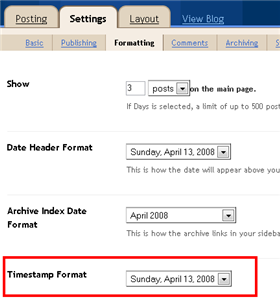
You’ll need to make one small change in your “Settings” => “Formatting” => “Timestamp Format” section before it will work. Change whatever you currently have to this format: “Sunday, April 13, 2008″ and then save. Make sure you change the “Timestamp Format” which is the 4th one down. Your template should now work properly.
VERY HELPFUL! THANK YOU SO MUCH!
I just got the Notepad Chaos template from jackbook and appreciate your help with this. Thank you.
thanks a lot for this, I waster more than 2 hours trying to see why date isn’t showing!